

Finally – a HD4870X2 at goldfries.com! As they say, better late than never! The ASUS EAH4870X2 was welcome with open arms, and of course the curiosity of how it performs.
A beautiful card, instead of using sleek black surface as most other cards or ugly camo markings like the ASUS ENGTX280 TOP 1GB I reviewed last year, the card comes with an awesomely beautiful Tri-fan cover.

Interestingly the EAH4870X2 doesn’t use copper heatsinks like the ASUS HD3870X2.
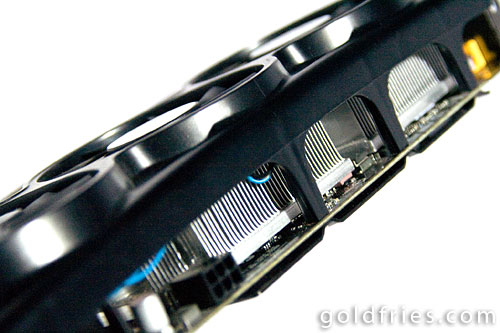
And for such a high-end card, it doesn’t come with a HDMI port.

And another interesting point was that the PCI-E power connects were quite a distance apart.
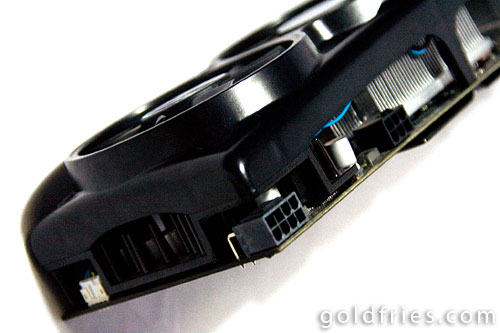
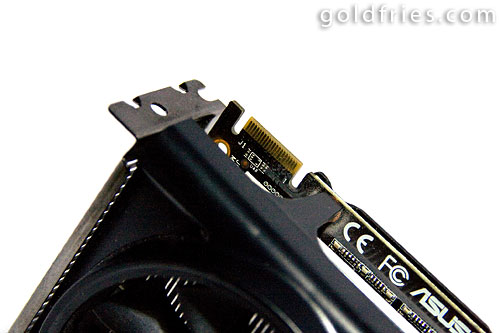
No protector for the CrossFire connect point, unlike the GTX280 model.
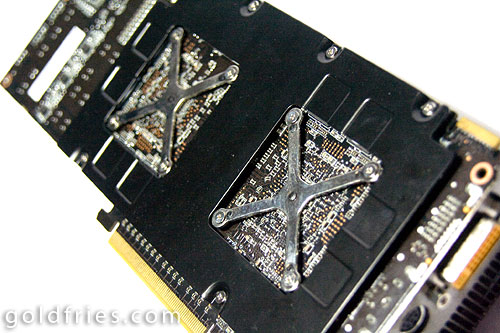
Back portion looks like any other graphic card, no special enclosure.
The Bundle
– 1 x DVI to D-Sub adaptor
– 1 x HDTV-out cable
– 1 x Power cable
– ASUS Utilities & Driver
– CD Leather Wallet
– Leather mousepad (this item is not stated on the website)
Card Details
Here’s a summarized detail of the card.
| GPU | HD4870X2 |
| GPU Code Name | R700 |
| Memory Type | DDR5 |
| Memory Bandwidth | 256-bit |
| Memory Capacity | 1024MB |
| Core Clock | 750Mhz |
| Memory Clock | 900Mhz (1.8Ghz DDR) |
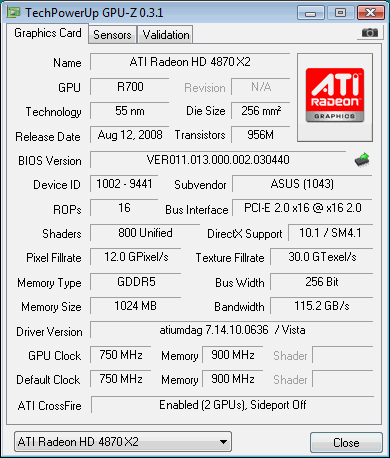
More details at the official product page
Test Setup
The computer setup used for this review.
| Processor | Intel Coreâ„¢2 Duo E7200 |
| RAM | 2x 2GB OCZ DDR2 PC2-8500 Reaper HPC Edition |
| Motherboard | Albatron PXP35 |
| Cooler | Sunbeamtech Core-Contact Freezer Heatsink |
| Monitor | 20″ Dell Ultra-sharp Wide-screen LCD |
| Power Supply | Gigabyte Odin 550 GT |
| Operating System | Windows Vista Home Basic 32bit |
| Driver Version | ATi Catalyst 9.1 |
The Performance
All tests were done with 4xAA
F.E.A.R.
Graphic Detail : Maximum at 1680×1050
| Card | Average |
| EAH4870X2 | 149 |
| ENGTX280 | 144 |
World In Conflict
Graphic Detail : Maximum @ 1680×1050
| Card | Average |
| EAH4870X2 | 36 |
| ENGTX280 | 43 |
Company Of Heroes : Opposing Fronts
Graphic Detail : Maximum @ 1680×1050
| Card | Average |
| EAH4870X2 | 58.0 |
| ENGTX280 | 56.7 |
Lost Planet : Extreme Condition
Graphic Detail : Maximum at 1680 x 946
| Card | Snow (Average) | Cave (Average) |
| EAH4870X2 | 102.5 | 55.4 |
| ENGTX280 | 83.6 | 71.9 |
Crysis
Graphic Detail : Maximum @ 1680×1050
| Card | Average |
| EAH4870X2 | 29.07 |
| ENGTX280 | 23.91 |
Furmark
Graphic Detail : Maximum @ 1680×1050
| Card | Average |
| EAH4870X2 | 21 |
Operating Temperature
Furmark was used for graphic card stressing.
| Idle (°C) | Load (°C) | Stress (°C) | |
| Temperature | 48 | 70 | 77 |
Readings were taken when ambient temperature was around 25°C.
– Load, Furmark was run for 1 minute at 1680×1050 with 4xAA.
– Stress, Furmark was run under the Stress Test mode for 5 minutes.
A point to add, the fan was noisy should I set it to 100% but the system idles at nearly 10°C cooler.
Power Consumption
Please note that the numbers below indicate the wattage for the entire system, not the graphic card alone.
| System Power Consumption | Idle (w) | Load (w) |
| with HD4870x2 | 100 | 236 |
| with GTS 250 | 81 | 143 |
Conclusion
The HD4870 is the highest end GPU from ATi. The HD4870X2 is a matter of putting 2 of the HD4870 into a single card, basically allowing CrossFire without having to do an actual CrossFire, essentially a single-card Crossfire solution.
As you can see, the performance is really good but bear in mind that should the game be lacking in the support for Crossfire setup, then the card performs like a single HD4870. The HD4870 also consumes more power than the GTX280.
So if you know the games you play supports Crossfire decently and have the $$$ to spare, the ASUS EAH4870X2 would be a good choice since the Tri-fan setup does help in cooling. Otherwise, the GTX280 cards aren’t a bad choice either, at least you know for sure it works well right out of the box.



hey, @goldfries, the last part, the power consumption, why did you compare 4870×2 with GTS250? is it a typo? 🙂
Not a typo. 😀 I just added the power consumption part a bit later but I forgot that benchies against GTX280 made it confusing.
and no, I don’t have the power consumption rating with GTX280 but I’ll update with a closer card in the future. 🙂
Nice quality in Lower cost, It’s very easy to install.Unless you have certain very specific needs, you’ll get better performance and better power efficiency with Nvidia.